Crawloo - SEO Site Crawler
Crawl up to 500 pages of a site in your browser and see what to fix first.
How it works
Three steps. No sign-up, no server, everything runs in your browser.
Open a site
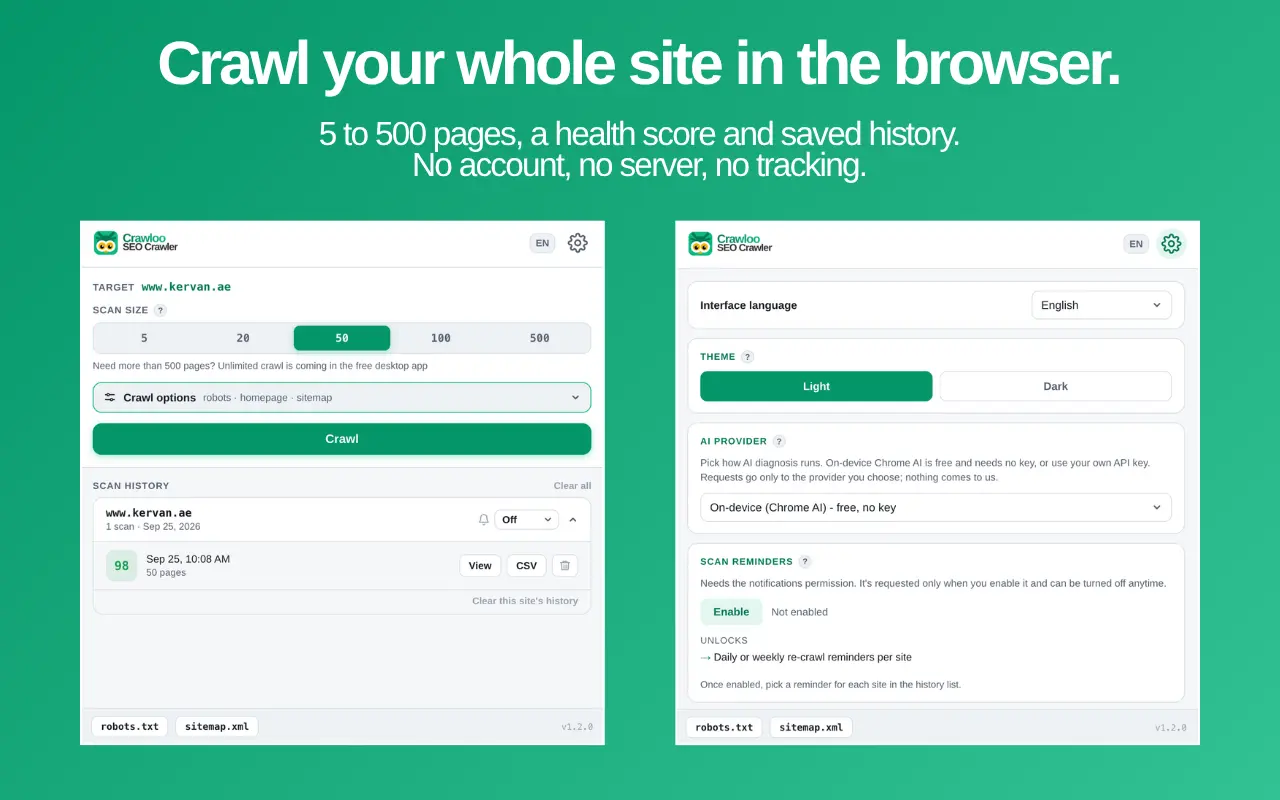
Open any website and pick a scan size: 5, 20, 50, 100 or 500 pages.
Press Crawl
Allow access to that site once. The crawl runs in the background, so you can close the popup and keep browsing.
Get the report
The full report opens when the crawl is done: health score, issues by severity, every crawled URL.
What it finds
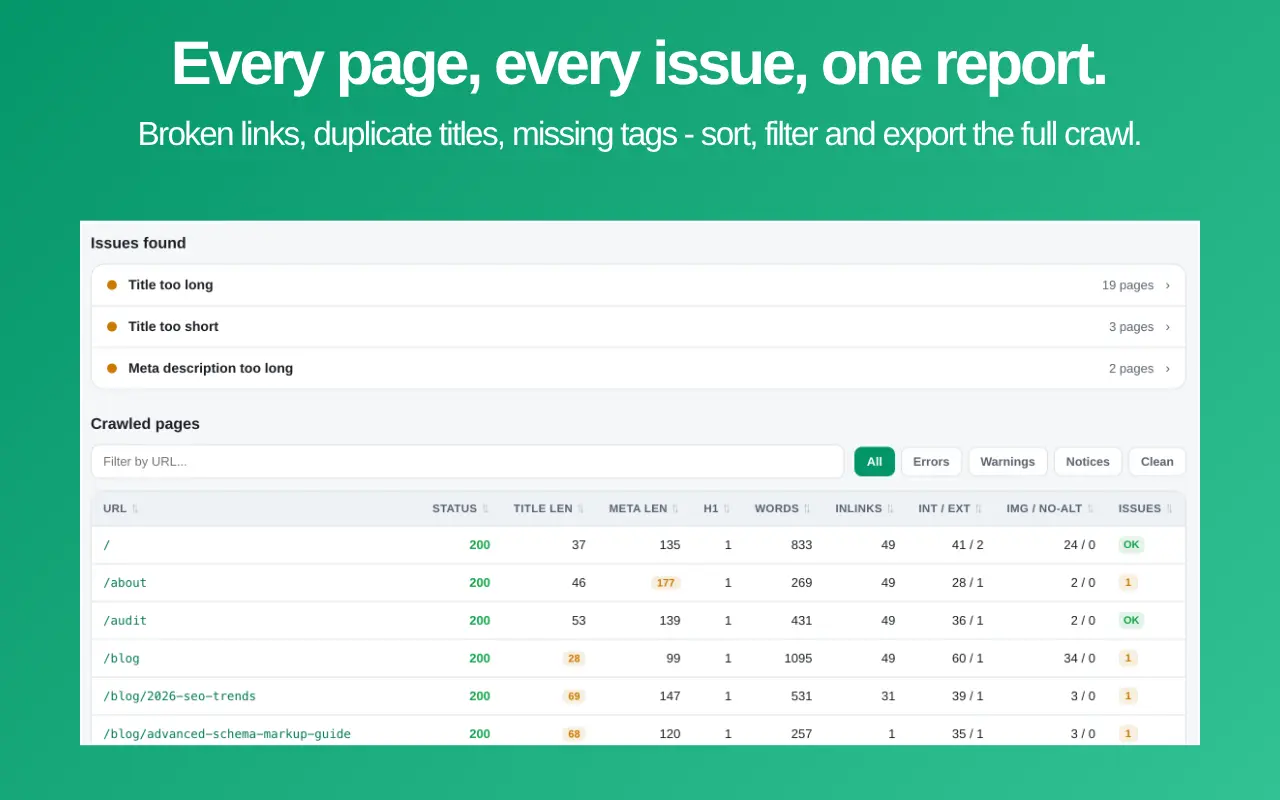
Crawloo follows internal links page by page, the way a search engine would, and groups every issue by severity.
Broken pages
URLs returning 4xx/5xx or not responding, and the pages that link to them.
Duplicate titles and descriptions
Duplicate titles and meta descriptions across the site. Pages canonicalized elsewhere are skipped.
Title and meta length
Titles and meta descriptions that are missing, empty, too short or too long.
H1 problems
Missing H1s and pages with more than one H1.
Canonical, noindex, redirects
Missing canonical tags, pages set to noindex and redirecting URLs.
Images without alt
Images missing alt text, counted per page.
A report you can actually work from
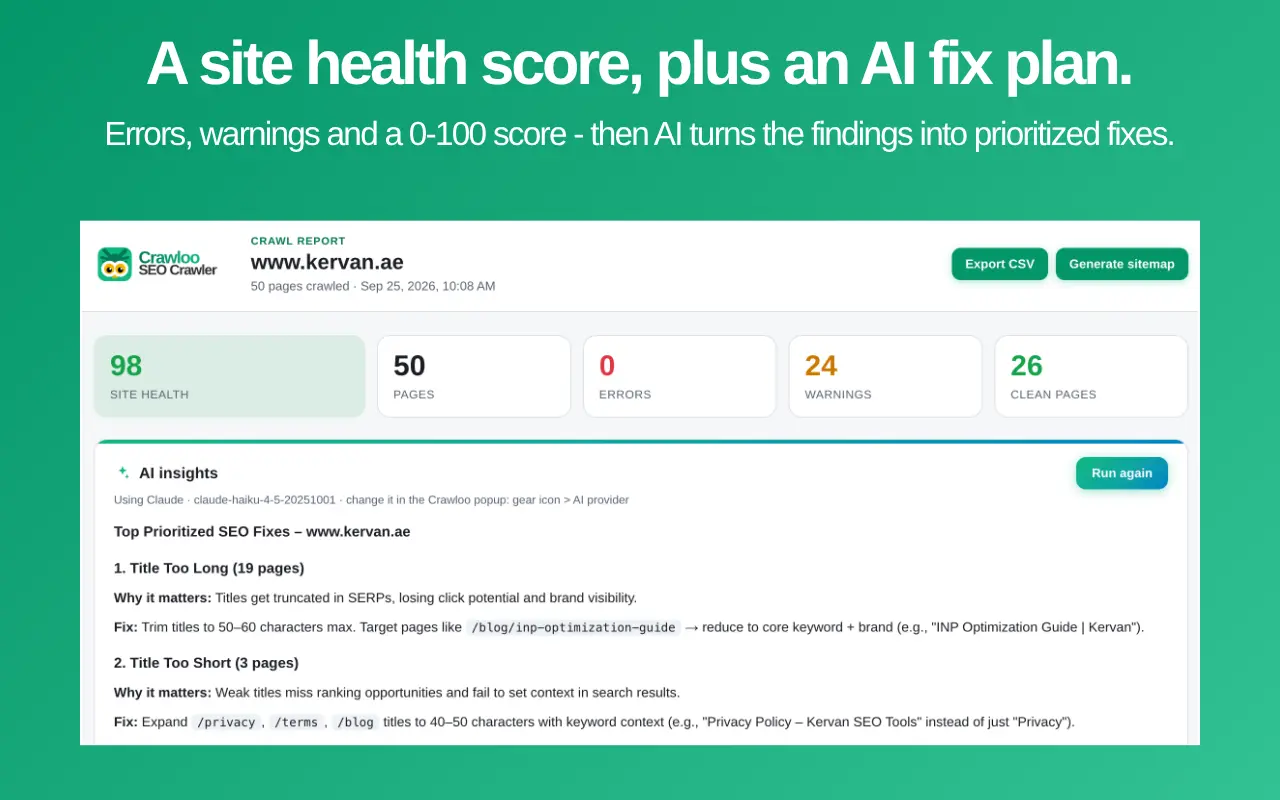
- Site health score (0-100) with errors, warnings and notices.
- Every crawled URL with status, title and meta length, H1 count, word count, inlinks, internal/external links and image alt coverage. Sort any column, filter by severity, search by URL.
- Export to CSV.
- Generate a sitemap.xml from the indexable pages you crawled.
See if a site is getting better
- Every scan is saved on your device, grouped by site.
- A small trend line shows whether a site's health is improving between scans.
- Optional daily or weekly reminders to re-crawl a site.
Crawl the way you need
- Respect robots.txt (on by default).
- Start from the homepage or from the page you are on.
- Discover URLs from sitemap.xml.
- www and non-www addresses are treated as the same site.
- Stop a crawl at any time and keep the pages crawled so far.
- Available in English, Turkish, German, French and Spanish.
AI insights
Every full report has an AI insights section that turns the crawl findings into a short, prioritized fix plan. The result is saved with the scan and previewed in the popup. The issues are always found by the crawler's own rules; AI only explains and prioritizes them and never makes up new ones.
Only a summary is sent
The domain, number of pages, health score, issue types with counts and up to three example URL paths per issue. Never page content.
On-device Chrome AI
Free, no key, where Chrome supports it. The summary stays on your computer.
Or your own key
Claude, OpenAI or Gemini. Requests go directly from your browser to the provider you choose.
Crawloo asks for access to an AI provider only when you save a key for it. Your key is stored only on your device.
Works well with Owloo
Crawloo looks across a whole site. For a deep look at a single page, use Owloo, our free sister extension.
Whole site
Crawloo
- 5 to 500 pages per scan, following internal links
- Broken internal links and inlinks
- Duplicate titles and meta descriptions
- Site health score, sortable report, CSV, sitemap.xml
- Scan history, trends and re-crawl reminders
One page, in depth
Owloo - On-Page SEO Inspector
- Headings, links and images of the open tab
- Schema detection and social tag previews
- AI content diagnostics
Frequently Asked Questions
Is Crawloo free?
How many pages can it crawl?
Why does it ask for access to the site?
Can I close the popup while it crawls?
Does it render JavaScript?
Can it crawl pages behind a login?
Does it check external links?
Does it follow robots.txt?
Are www and non-www treated as one site?
Where are my scans stored?
What does the AI see?
Which AI can I use?
Which languages?
Privacy Policy
Crawloo - SEO Site Crawler
Last updated: 25 September 2026
Publisher: KERVAN SEO Agency (kervan.ae)
Crawloo is a free Chrome extension by KERVAN SEO Agency ("we"). This policy explains what data Crawloo handles.
What we collect
Nothing. Crawloo has no server, no analytics, no tracking and no ads. We never receive your browsing data, your crawl results, your settings or your API keys.
What stays on your device
Your settings, scan history (the crawled URLs and the issues found), AI results and any API key you enter are stored locally in your browser using Chrome's extension storage. They are not synced or uploaded by Crawloo. You can delete scans in the extension at any time; uninstalling Crawloo removes all of this data.
Crawling
When you press Crawl, Crawloo asks Chrome for access to that site and then requests its public pages, robots.txt and sitemap.xml directly from your browser, without your cookies. The pages are analyzed on your computer.
AI insights (optional)
If you use AI insights, Crawloo sends a short crawl summary - the domain, number of pages, health score, issue types with counts and a few example URL paths - to the AI service you chose:
- On-device Chrome AI: the summary stays on your computer.
- Claude (Anthropic), OpenAI or Gemini (Google): the summary and your own API key are sent directly from your browser to that provider. Their privacy policies apply to that request. We do not see or store it.
Page content is never sent.
Permissions
Crawloo asks for access to a site only when you crawl it, for access to an AI provider only when you save a key for it, and for notifications only if you turn on scan reminders. You can remove these permissions in Chrome's extension settings.
Contact
Questions: seo@kervan.ae - KERVAN SEO Agency, kervan.ae
Crawl your site in minutes
Free, no account, no tracking. Everything runs in your browser.